A user types a query, and instead of it zipping off to a distant server, the response appears in milliseconds, powered entirely by their own device. This isn’t science fiction; it’s the promise of Transformers.js, a new library aiming to democratize natural language processing by bringing advanced models directly into the web browser.
For too long, deploying sophisticated NLP meant wrestling with Python environments, shelling out for GPU time, and building complex API infrastructures. That architecture, while once necessary for models too gargantuan for client-side processing, is starting to feel quaint. Transformers.js flips the script.
Shifting the Paradigm: Local Inference
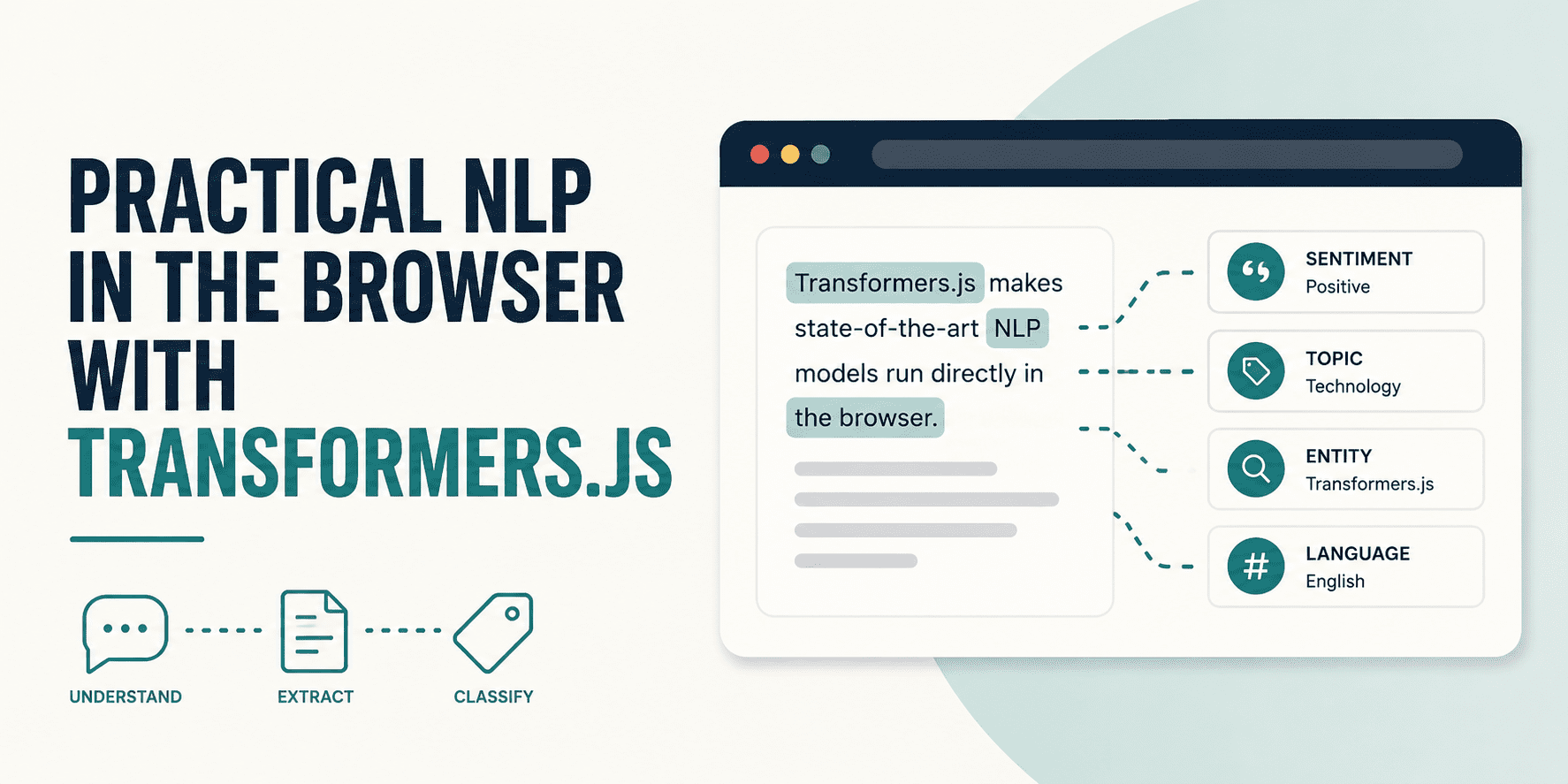
The core innovation here is running state-of-the-art NLP models directly in the browser. Think sentiment analysis, zero-shot labeling, and question answering – all processed locally on the user’s machine. Once a model downloads—a one-time event, typically—it’s cached, rendering subsequent uses fast and, crucially, offline-capable. The library mimics Hugging Face’s Python transformers almost one-to-one, simplifying the transition for developers already familiar with that ecosystem.
// JavaScript -- nearly identical
import { pipeline } from '@huggingface/transformers';
const classifier = await pipeline('sentiment-analysis');
const result = await classifier('I love transformers!');
This tutorial, as outlined, promises to walk through three key NLP tasks using the library’s pipeline() API. The goal: demonstrate how to initialize pipelines, understand their structured output, and provide actionable HTML examples that can be run immediately, no complex build steps necessary.
Under the Hood: ONNX Runtime Magic
The secret sauce enabling this browser-based AI revolution is ONNX Runtime. Models trained in standard frameworks like PyTorch, TensorFlow, or JAX are first converted into the ONNX (Open Neural Network Exchange) format. ONNX Runtime then takes these models and executes them efficiently within the browser. The default mode utilizes WebAssembly (WASM) for CPU execution, ensuring broad compatibility across modern browsers. For those seeking a performance boost, the option to route computation through the browser’s WebGPU API (device: 'webgpu') offers significantly faster inference, though this remains experimental in some environments.
Model Caching: This is where the user experience truly shines after the initial load. The first time a pipeline is invoked, the model weights—which can be substantial, with sentiment analysis models clocking in around 111 MB—download from the Hugging Face Hub and are cached in the browser’s IndexedDB (or local filesystem in Node.js). Every subsequent session bypasses this download, leading to near-instantaneous load times and strong offline functionality. This architecture drastically reduces server load and associated costs for developers.
Quantization: A clever technique to manage model size and performance is quantization. The dtype option allows developers to select model precision. q8 (8-bit quantization) is the WASM default, striking a sensible balance between size and accuracy. For even smaller downloads and faster loading, q4 quantization slashes the file size by roughly half, with a marginal 1-3% accuracy dip on most tasks—a trade-off that makes immense sense for mobile applications or users on constrained networks. Full FP32 precision is available for Node.js server-side use, where file size is less of a concern.
// Default WASM execution -- works everywhere
const pipe = await pipeline('sentiment-analysis');
// WebGPU for faster inference on compatible hardware
const pipe = await pipeline('sentiment-analysis', null, { device: 'webgpu' });
// 4-bit quantization for smaller model downloads
const pipe = await pipeline('sentiment-analysis',
'Xenova/distilbert-base-uncased-finetuned-sst-2-english',
{ dtype: 'q4' }
);
The Elegant Simplicity of pipeline()
At the heart of Transformers.js is the pipeline() function. It’s designed to be the sole public interface for most common use cases, abstracting away the complexities of tokenizers and raw model weights. Developers feed it text, and it returns structured, interpretable results. The function signature is straightforward:
const pipe = await pipeline(task, model?, options?);
const result = await pipe(input, inferenceOptions?);
The task argument specifies the NLP operation (e.g., ‘sentiment-analysis’), while the optional model argument allows for explicit model selection from the Hugging Face Hub. The options parameter is where configuration for device, dtype, and progress_callback resides. Both steps are asynchronous. pipeline() handles the model download and loading—the initial bottleneck—while the subsequent pipe() call is typically very fast once the model is ready. Crucially, these async operations necessitate UI handling for loading states, ensuring a smooth user experience.
A progress_callback is a welcome addition for managing user expectations during the initial model download phase. It allows developers to implement visual progress indicators, transforming a potentially lengthy wait into a more transparent process. This detail, often overlooked in library design, speaks volumes about the practical, user-centric approach taken by the Transformers.js team.
“The user typed something, it left their machine, touched your infrastructure, and came back as a prediction. That architecture made sense when the models were too large to run anywhere else. It is no longer the only option.”
This quote encapsulates the core problem Transformers.js is solving. The move from server-centric to client-centric NLP represents a significant architectural shift, promising reduced latency, enhanced privacy (as data doesn’t leave the user’s device), and lower operational costs for businesses.
Is This a Game Changer for Web Developers?
From a market dynamics perspective, this development is substantial. The cost and complexity associated with deploying AI, particularly NLP, have been significant barriers to entry. By shifting inference to the browser, Transformers.js drastically lowers these barriers. Developers can now integrate sophisticated NLP capabilities into web applications without needing dedicated AI infrastructure or deep backend expertise. This has a direct impact on the accessibility of advanced AI features for small to medium-sized businesses and individual developers. The potential for offline-first applications is also enormous, opening doors for tools in environments with unreliable internet connectivity.
However, skepticism is warranted. While the library’s functional equivalence to its Python counterpart is a major plus, the performance differences between CPU-bound browser execution and dedicated GPU servers are undeniable. For high-throughput, real-time applications demanding extremely low latency across a large user base, server-side inference will likely remain the preferred option. Furthermore, browser environments have inherent limitations regarding memory and processing power, which will eventually cap the complexity of models that can be effectively run client-side. The WebGPU path shows promise, but its experimental nature means widespread adoption and reliable performance are still on the horizon.
Future Implications and Potential Pitfalls
The implications extend beyond just easier deployment. Imagine a customer support chatbot that continues to function even when a user’s internet connection flickers, or a real-time language translation tool that operates entirely offline. This technology could also spur innovation in privacy-preserving AI, as sensitive data could be processed locally without ever being transmitted. The ability to run these models locally also significantly reduces the carbon footprint associated with AI inference, a growing concern in the tech industry.
Yet, challenges remain. Browser security models could become a target for malicious actors seeking to exploit these running models. Updates to models will still require downloads, and managing cache sizes effectively will be an ongoing concern for developers. Furthermore, the sheer variety of devices and browser capabilities means testing and optimization will be a complex undertaking.
Ultimately, Transformers.js represents a significant step forward in making powerful AI tools more accessible and efficient. It’s not a wholesale replacement for server-side AI, but rather a powerful new option that broadens the landscape of what’s possible in web development.
🧬 Related Insights
- Read more: Docker Saved Our Python Team From Five Months of Silent Chaos
- Read more: Illinois’ AI Safety Bill: Audit-Yourself Rules Get a Reality Check
Frequently Asked Questions
What kind of NLP tasks can Transformers.js handle? Transformers.js supports a range of NLP tasks, including text classification (e.g., sentiment analysis), zero-shot labeling, and question answering, mirroring the capabilities of Hugging Face’s Python library.
Do I need an internet connection to use Transformers.js after the first load? No, after the initial download and caching of the model weights, Transformers.js applications can run offline.
How does Transformers.js achieve performance in the browser? It use ONNX Runtime, executing models via WebAssembly (WASM) for broad compatibility or WebGPU for potentially faster inference on compatible hardware. Quantization techniques are also used to reduce model size and improve performance.