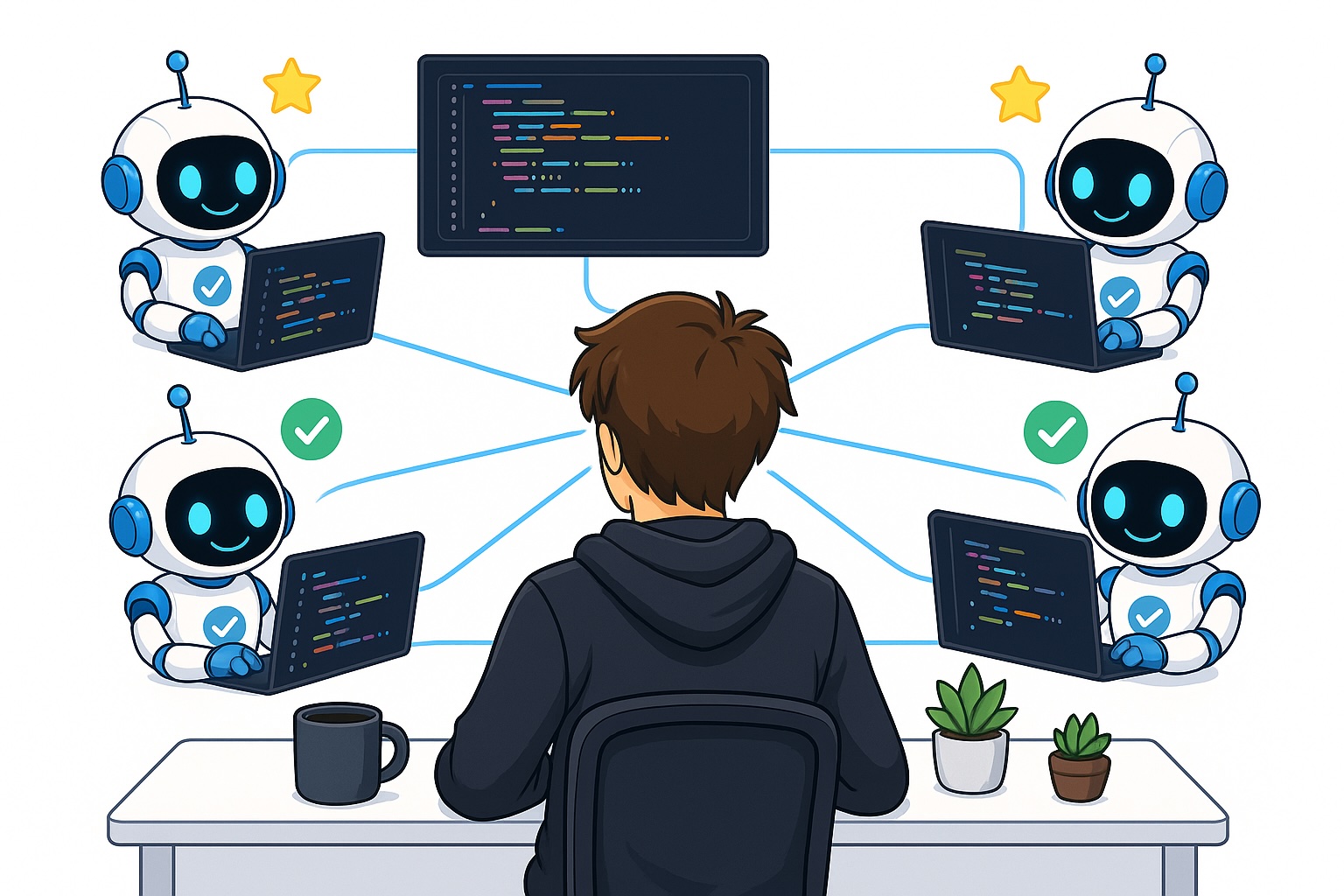
Forget the days of the lone programmer, painstakingly typing line after line. The future, or at least the present for those at the bleeding edge, is managing fleets of AI coding agents. But here’s the kicker: that very efficiency the agents promise often devolves into a complex tangle of parallel tasks. It turns out, juggling multiple AI-driven coding projects isn’t much simpler than juggling multiple human-driven ones, and arguably more demanding on your cognitive load.
Why? Because our brains, wired for linear thought processes, aren’t built for smoothly context switching across half a dozen complex, independent coding initiatives. Before AI, a programmer would grind on one task, knowing that a single slip-up, a distraction, could derail hours of focused work. Now, you’re not just coding; you’re a project manager, a QA tester, a liaison between a dozen digital minds—each demanding your attention at precisely the wrong moment.
This isn’t just about convenience; it’s about architecting our workflows to match the evolving capabilities of AI. The original article dives into some practical methods for wresting control back from the AI swarm, focusing on the user interface and notification systems within tools like Claude Code.
The Cognitive Overhead of Parallel Agents
The core problem, as the original piece articulates, is that software engineering tasks are inherently complex. They demand deep focus. When you’re managing multiple AI agents, each working on distinct, non-interconnected tasks, you’re forced to keep a significant amount of context in your active working memory. This means:
- You need to be readily available to answer an agent’s specific query, often mid-thought on another task.
- You must meticulously test the outputs of each agent, recalling the exact requirements and expected behavior for each individual project.
This isn’t a minor inconvenience. It’s a direct assault on productivity, a bottleneck that turns the promise of AI acceleration into a slog.
Taming the Chaos: UI and Notifications
The most immediate, and perhaps most accessible, solutions lie in how we visualize and interact with these parallel sessions. Claude Code’s ‘Agents View’ is a prime example. Instead of a full-screened, overwhelming cascade of individual conversations, it condenses each agent into a single line item. This visual streamlining is crucial. It allows for a quick scan, identifying which agents are active, which are awaiting input, and which are simply churning away in the background. It’s a form of cognitive offloading – reducing the mental effort required to simply know what’s going on.
The agent view available in Claude Code. A lot of different providers have different ways of presenting this.
This isn’t just about aesthetics. It’s about architectural shifts in how we design developer tools. The move from a monolithic, single-task interface to a dashboard-like overview reflects a broader trend: embracing the parallel nature of AI while mitigating its inherent complexity.
The Silent Alarm: Alerting for Input
Beyond a clean overview, proactive alerting is key. The original article points out that even without an explicit ‘agent view,’ terminal tabs can be subtly modified. A star icon, a change in tab color—these are simple yet powerful visual cues. They act as silent alarms, drawing your attention only when necessary, preventing you from constantly polling every running process.
But what about when you’re deep in concentration, perhaps with multiple terminals open and your eyes on something else entirely? This is where more sophisticated notification systems come in. The suggestion of using hooks to trigger audio alerts when an agent requires input is more than just a clever workaround; it’s a step towards building AI workflows that are truly ambient and interruptible without being disruptive.
Imagine a soft chime, distinct for each agent, indicating not just that it needs attention, but which agent needs it. This granular, context-aware alerting transforms passive oversight into active, intelligent management.
Activating Recaps for Contextual Recovery
This is, for my money, the most critical piece of the puzzle for sustained productivity: recaps. The sheer difficulty of re-establishing context after a period of focused work on another agent is immense. Ten minutes away can feel like an eternity when your mind has shifted gears. Promptly re-engaging with an agent requires not just remembering the task, but the nuances, the previous exchanges, the subtle objectives.
Recaps, in essence, are AI-generated summaries of an agent’s recent activity and current state. This isn’t just a log file; it’s a curated, intelligent briefing. It allows a developer to jump back into a session with minimal friction, understanding precisely where things left off and what the immediate next steps should be. This feature directly combats the cognitive load associated with task switching, making parallel development not just feasible, but efficient.
The Architectural Shift: From Solo Coder to Orchestrator
The techniques described—agent views, smart alerts, and strong recaps—aren’t just features. They represent an architectural shift in how we interact with AI development tools. We’re moving from a model where the AI assists a single, focused human task to one where the human orchestrates multiple AI agents. The success of this new paradigm hinges entirely on our ability to manage the complexity of these parallel interactions. Tools that offer sophisticated oversight, intelligent alerting, and smoothly context recovery will be the ones that truly unlock the potential of AI-driven development. The future isn’t just about smarter AIs; it’s about smarter interfaces and workflows that allow us to effectively direct them.
FAQs
Will this replace my job?
This isn’t about replacement, but augmentation. These tools are designed to make developers more efficient by handling repetitive coding tasks, allowing you to focus on higher-level problem-solving, architecture, and complex logic.
How do I activate the agent view in Claude Code?
You can activate the agents view in Claude Code by typing claude agents in the command line.
Are there similar features in other AI coding tools?
Yes, many modern AI coding assistants and terminals are introducing similar features for managing parallel sessions, including visual overviews, custom notifications, and context summarization capabilities.